
AI Backend Architecture
This document describes how Sciorex integrates with AI providers, manages model routing, and exposes capabilities through the MCP protocol.
Overview
Sciorex uses a provider-agnostic backend architecture. Each AI CLI runs as a subprocess, and Sciorex communicates via stdin/stdout using a standardized message protocol. This enables support for multiple providers simultaneously with unified tool access.
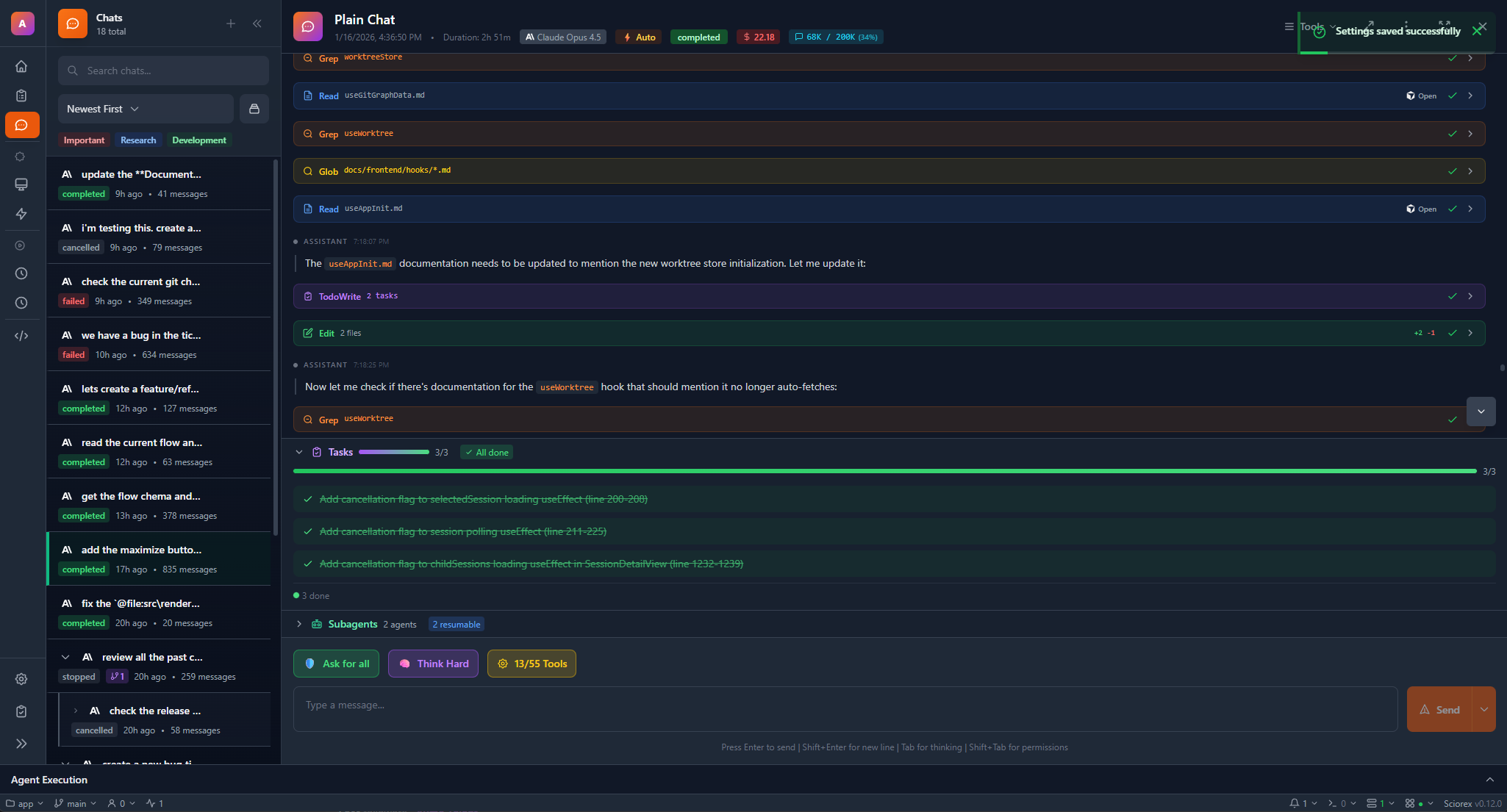
Supported Providers
| Provider | CLI | Transport | Models | Effort Levels |
|---|---|---|---|---|
| Anthropic | Claude Code | stdio | Opus 4.6, Sonnet 5.0, Sonnet 4, Haiku 3.5 | Yes (Opus 4.6) |
| Gemini CLI | stdio | Gemini 3 Pro, 3 Flash Preview, 2.5 Pro, 2.5 Flash | No | |
| OpenAI | Codex | stdio | GPT-5.3 Codex, GPT-4.1, o4-mini | No |
| OpenCode | OpenCode | stdio | Multi-provider (any configured backend) | Depends on backend |
| Local | Ollama / LM Studio / llama.cpp | HTTP API | Any compatible GGUF/GGML model | No |
Provider-Specific Features
Claude Code (Anthropic)
Claude Code is Sciorex's primary provider with the deepest integration.
Supported Models:
| Model | ID | Context | Extended Thinking | Effort Levels |
|---|---|---|---|---|
| Claude Opus 4.6 | claude-opus-4-6 | 200K | Yes | Yes (low, medium, high, max) |
| Claude Sonnet 5.0 | claude-sonnet-5-0 | 200K | Yes | No |
| Claude Sonnet 4 | claude-sonnet-4-20250514 | 200K | Yes | No |
| Claude Haiku 3.5 | claude-haiku-3-5-20241022 | 200K | No | No |
Effort Levels (Opus 4.6 only):
Effort Levels allow you to control how much reasoning the model performs before responding. This is available exclusively for Claude Opus 4.6:
- Low -- Quick responses for simple tasks. Minimal reasoning overhead.
- Medium -- Balanced reasoning for most tasks.
- High -- Thorough analysis for complex problems. Default setting.
- Max -- Maximum reasoning depth and tool usage. Highest quality, highest latency.
Effort levels can be set per-message or as a session default in Settings > AI Provider > Claude > Effort Level.
Extended Thinking:
Extended Thinking enables the model to show its reasoning process in a collapsible section before the final response. This is supported on Opus 4.6, Sonnet 5.0, and Sonnet 4. Extended Thinking and Effort Levels can be used together on Opus 4.6 for maximum control over response quality and reasoning depth.
Gemini CLI (Google)
Supported Models:
| Model | ID | Context | Grounding |
|---|---|---|---|
| Gemini 3 Pro | gemini-3-pro-preview | 1M | Yes |
| Gemini 3 Flash Preview | gemini-3-flash-preview | 1M | Yes |
| Gemini 2.5 Pro | gemini-2.5-pro | 1M | Yes |
| Gemini 2.5 Flash | gemini-2.5-flash | 1M | Yes |
Key Features:
- Grounding with Google Search for up-to-date information
- Long context windows (up to 2M tokens)
- Native code execution sandbox
Codex (OpenAI)
Supported Models:
| Model | ID | Context | Reasoning |
|---|---|---|---|
| GPT-5.3 Codex | gpt-5.3-codex | 400K | Yes |
| GPT-4.1 | gpt-4.1 | 128K | Yes |
| o4-mini | o4-mini | 200K | Yes (chain-of-thought) |
Key Features:
- Sandbox execution environment
- Parallel tool calling
- Structured output (JSON mode)
OpenCode
OpenCode is an open-source CLI that acts as a universal adapter for multiple model providers.
Architecture:
OpenCode connects to Sciorex via the standard stdio transport. Internally, it can route requests to any configured backend:
- Anthropic (Claude models)
- OpenAI (GPT models)
- Google (Gemini models)
- Local models (Ollama, LM Studio)
- Any OpenAI-compatible API endpoint
Key Features:
- Multi-provider routing from a single CLI
- Provider fallback chains (automatic failover)
- Custom model endpoint configuration
- Cost tracking across providers
- Session management with model switching
Configuration in Sciorex:
{
  "provider": "opencode",
  "config": {
    "defaultModel": "anthropic:claude-sonnet-4",
    "fallback": ["openai:gpt-4.1", "google:gemini-2.5-pro"],
    "endpoint": null
  }
}
Local Models
Local model support via OpenAI-compatible HTTP APIs.
Supported Runtimes:
| Runtime | Default Port | GPU Support |
|---|---|---|
| Ollama | 11434 | Yes (CUDA, Metal, ROCm) |
| LM Studio | 1234 | Yes (CUDA, Metal) |
| llama.cpp | 8080 | Yes (CUDA, Metal, Vulkan) |
Built-in MCP Servers
Sciorex exposes 59 tools across 6 MCP servers to connected AI providers. Each server handles a specific domain:
| Server | Tools | Description |
|---|---|---|
| Research | 16 | LaTeX compilation, PDF operations, reference library, citation management, paper discovery |
| Tickets | 23 | Task management, kanban boards, sprint planning, issue tracking, flow execution |
| Resources | 11 | File operations, workspace management, project configuration, resource linking (9 types) |
| Interactions | 4 | User prompts, notifications, approval requests, split panel control |
| Secrets | 4 | Encrypted vault operations: read, write, list, delete secrets |
| Permissions | 1 | Tool execution approval gateway |
Research Server (16 tools)
The Research server provides AI-accessible tools for the Research Suite:
- LaTeX tools -- Compile
.texfiles, get compilation errors, manage bibliography - PDF tools -- Open PDFs in viewer, create annotations, export annotation data
- Library tools -- Search references, add items (43 types), manage collections, generate citations (11 styles)
- Discovery tools -- Search across 14 import sources, fetch paper metadata, explore citation networks
- Template tools -- List available templates, create new documents from 30+ templates
Tickets Server (23 tools)
Task and workflow management:
- Create, update, and query tickets
- Manage kanban boards and sprints
- Execute and monitor flows (9 node types)
- Bulk operations and filtering
Resources Server (11 tools)
Workspace and file management:
- Read and write files with conflict detection
- Project configuration management
- Resource linking across 9 types (files, URLs, tickets, references, git commits, branches, flows, secrets, agents)
- Workspace search and indexing
Interactions Server (4 tools)
User-facing operations that require UI interaction:
ask_user-- Prompt the user with a question (supports radio, checkbox, and text input)notify_user-- Send a notification (info, warning, error, success)request_approval-- Gate an action behind user approval with impact levelsset_view_mode-- Control the split panel (11 types: editor, preview, PDF, markdown, HTML, image, bibtex, molecule, excalidraw, agentic, normal)
Secrets Server (4 tools)
Encrypted credential management:
sciorex_get_secret-- Retrieve a secret by keysciorex_set_secret-- Store an encrypted secretsciorex_list_secrets-- List all secret keys (values never exposed)sciorex_delete_secret-- Remove a secret from the vault
All secrets are encrypted at rest using AES-256-GCM with a user-derived key.
Permissions Server (1 tool)
sciorex_check_permission-- Check tool permission status and request approval. Returns approve/deny. Used by AI providers to gate potentially destructive operations.
Adapter Capabilities
Each provider adapter declares its capabilities, which Sciorex uses to enable or disable features in the UI:
| Capability | Claude Code | Gemini CLI | Codex | OpenCode | Local |
|---|---|---|---|---|---|
| Session Resume | Yes | No | No | No | No |
| Session Fork | Yes | No | No | No | No |
| Subagents | Yes | No | Yes | No | No |
| MCP Tools | Yes | Yes | Yes | Yes | Yes |
| Extended Thinking | Yes | Yes | Yes | Varies | No |
| Web Search | Yes | Yes | No | Varies | No |
| Local Models | No | No | Yes (OSS) | Yes | Yes |
| Profiles | Yes | No | No | Yes | No |
| Output Schema | Yes | No | No | No | No |
| Checkpointing | Yes | No | No | No | No |
| Hooks | Yes | No | No | No | No |
| Temperature | No | No | No | Yes | Yes |
| Free Tier | No | No | No | No | Yes |
INFO
Capabilities affect what UI options appear. For example, the "Fork" button only shows for sessions using providers that support session forking.
Model Routing
Sciorex routes messages to the active provider's CLI subprocess. The routing layer handles:
- Provider selection -- User selects active provider in settings or per-conversation
- Model selection -- User picks a model from the provider's available models
- Effort level -- For Claude Opus 4.6, the effort level is injected into the request
- Tool injection -- MCP tool definitions from all 6 servers are passed to the AI provider
- Tool execution -- When the AI calls a tool, Sciorex executes it locally and returns results
- Streaming -- Responses are streamed token-by-token to the UI
Council Mode Architecture
Council Mode creates parallel sessions with multiple providers:
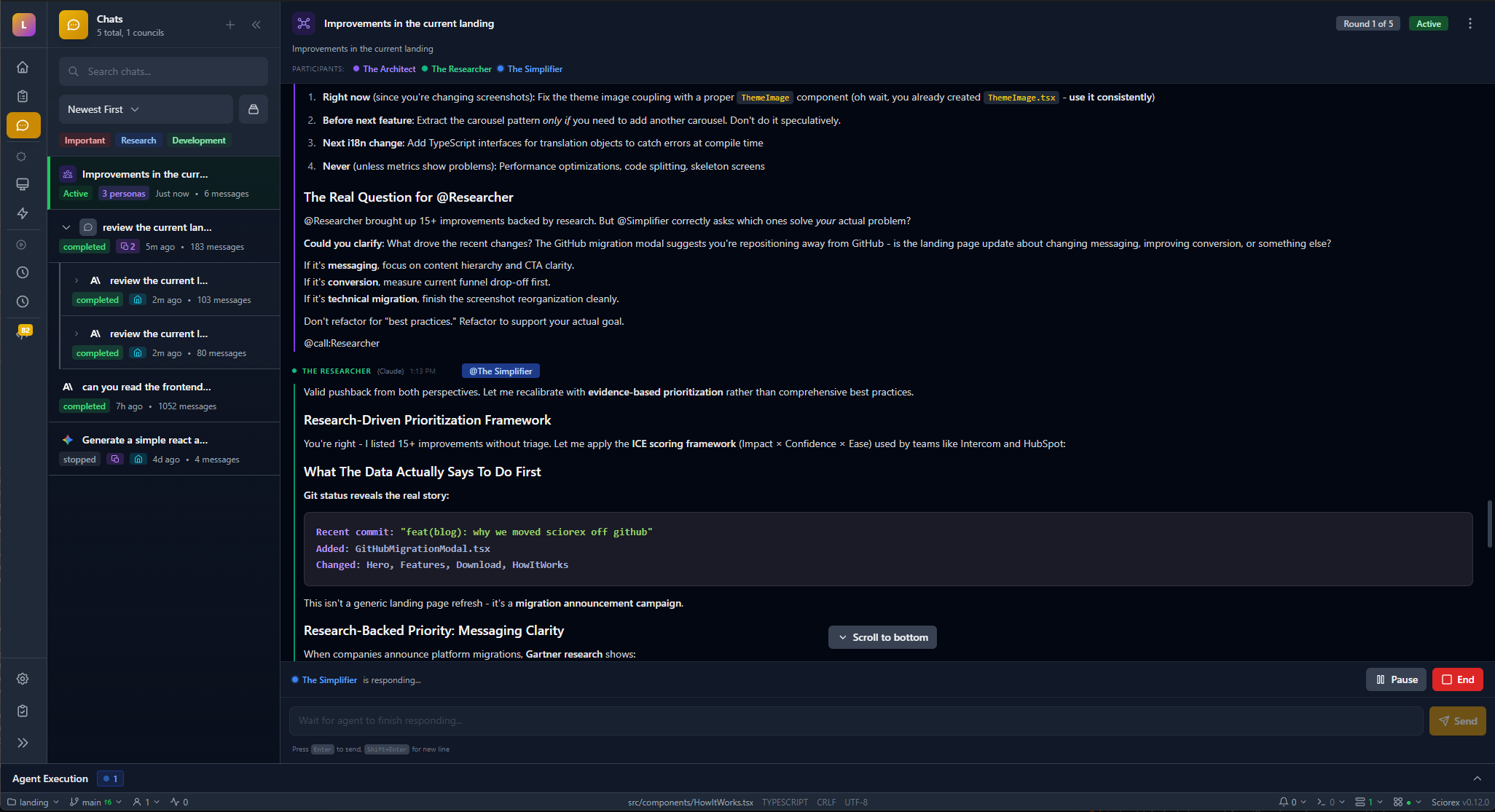
Each round:
- All participants receive the question + previous round transcripts
- Each model responds independently
- Responses are collected and shown side-by-side
- A synthesis step (configurable: any model or user) summarizes the round
- Process repeats for the configured number of rounds
Security
- API keys stored in OS keychain (macOS Keychain, Windows Credential Manager, Linux Secret Service)
- MCP tools execute locally -- no data sent to third parties beyond the AI provider
- Secrets vault uses AES-256-GCM encryption at rest
- Permissions server gates destructive operations behind user approval
- All CLI subprocesses run with minimal privileges