
Quick Start
Get up and running with Sciorex in 5 minutes! ??
Step 1: Create Your First Agent
- Open Sciorex and select a workspace
- Click Agents in the sidebar
- Click New Agent
- Configure your agent:
yaml
Name: Research Assistant
Model: Claude Sonnet 5.0
System Prompt: |
  You are a research assistant specialized in finding
and summarizing academic papers. Always cite sources.- Click Create Agent
Step 2: Start a Conversation
- Go to Chat in the sidebar
- Click New Chat
- Select your "Research Assistant" agent
- Type a message:
Find the latest papers on transformer architectures
for time series forecasting- Watch your agent work! ??
Step 3: Create a Ticket
- Go to Tickets in the sidebar
- Click New Ticket
- Fill in the details:
yaml
Title: Review transformer papers
Description: Summarize findings from research assistant
Status: Backlog- Link the ticket to your chat conversation
Step 4: Build a Simple Flow
- Go to Flows in the sidebar
- Click New Flow
- Drag nodes onto the canvas:
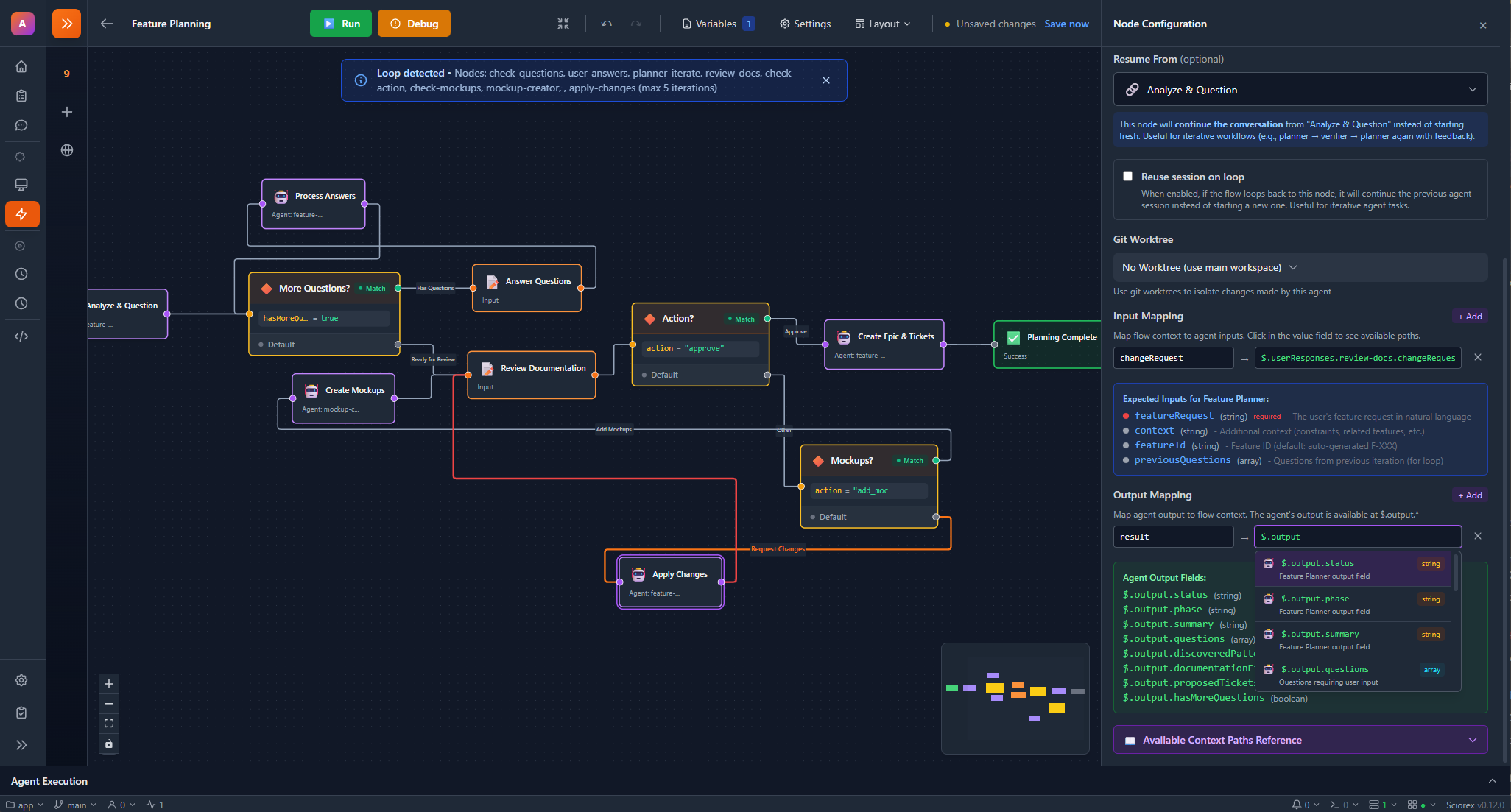
- Configure the Research Agent node:
- Select your "Research Assistant" agent
- Set input:
{{trigger.input}}
- Save and run the flow!
Step 5: Explore the Research Suite
- Go to the File Editor and open a
.texfile (or create one) - The LaTeX Editor activates with live PDF preview
- Try the Reference Library to import papers
- Use Paper Discovery to search for related work
The Research Suite includes:
- LaTeX editor with 30+ templates and SyncTeX
- PDF viewer with 4 annotation types
- Reference library with 43 item types and 11 citation styles
- Paper discovery across 14 sources
What's Next?
Now that you've got the basics, explore more:
Cookbook Recipes
- Your First Agent - Detailed agent creation tutorial
- Code Review Agent - Build a practical code reviewer
- Research Pipeline - Multi-agent research workflow
- Model Comparison - Compare different AI models
Learn the Concepts
Feature Deep Dives
- AI Agents Reference
- Flow Editor Reference
- Ticketing System Reference
- MCP Servers Reference
- Research Suite - LaTeX editing, PDF annotations, references
- Council Mode - Multi-model structured debate
- Split Panels - 11 panel types for side-by-side work
- Source Control - Git graph and staging
- Terminal - Command runner and process explorer
- Secrets Vault - Encrypted secrets management
Reference
- Models Comparison - Choose the right Claude model
- FAQ - Common questions answered
- Troubleshooting - Solve common issues
Need help?
Join our Discord community for support and tips!